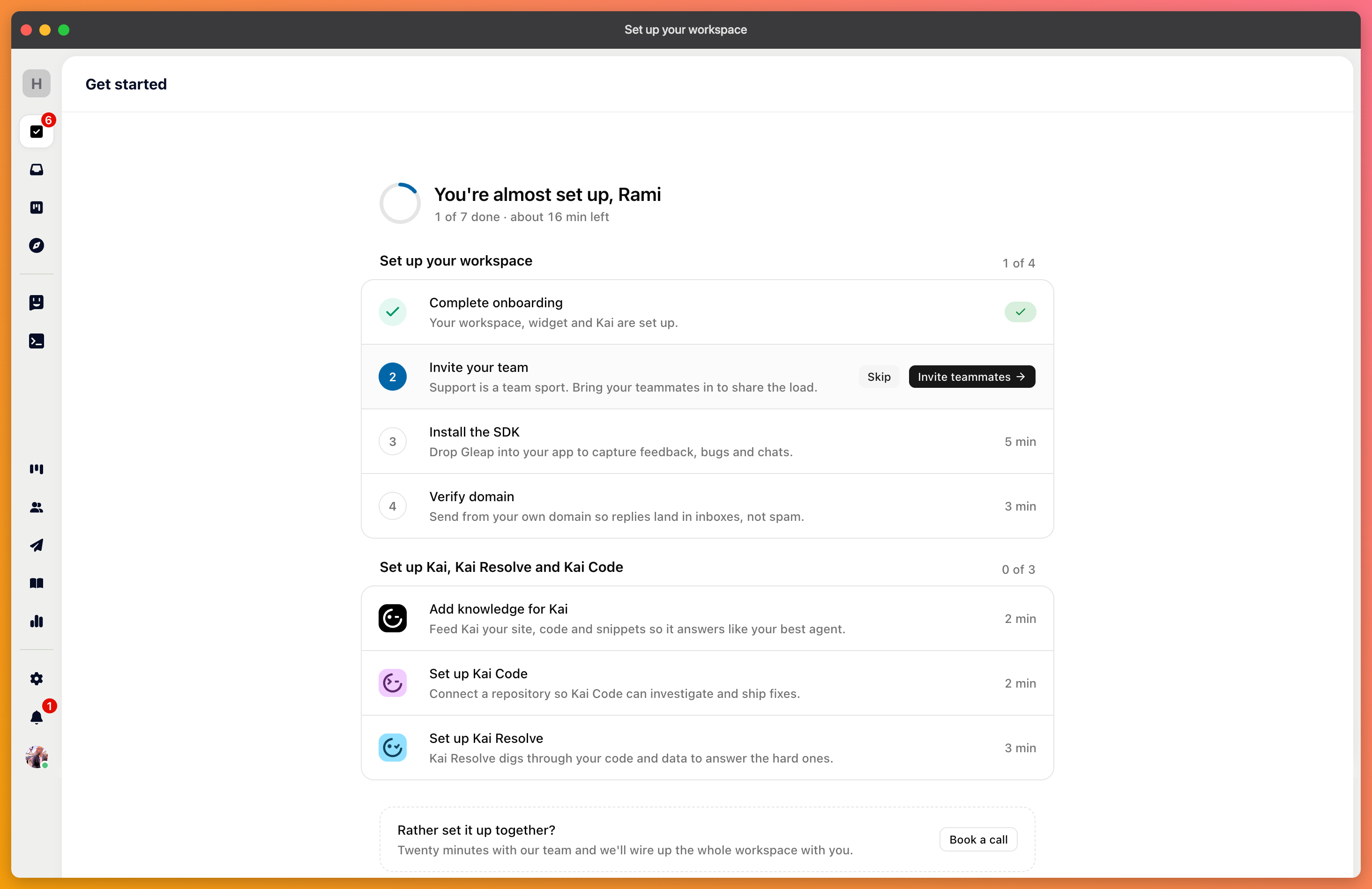
New projects open with a setup checklist that walks you through the six things worth doing first. This article explains what each step does, so you can decide which ones you need.
You can complete the steps in any order, skip the ones that don't apply, and dismiss the checklist entirely once you're done. Projects created before the checklist existed don't show it — the same steps are available from Settings.
Nothing reaches Gleap until the SDK is running in your product. Installing it adds the messenger to your app or website and starts collecting the technical context that comes with each report — browser, device, console, and network logs.
This is the one step you can't skip. If you're not the person who ships code, this is the point to bring in someone who does.
Kai answers customers from the content you give it. With nothing added, it has nothing to answer from, so it hands every conversation to your team.
The fastest start is your existing website or documentation: point the crawler at a URL, and Kai indexes what it finds. You can add help center articles, files, Notion pages, and other sources later.
Your help center is a public site customers can search, and it's also the knowledge Kai answers from. Writing an article serves both at once.
Start with the questions your team already answers most often. Ten articles that cover real questions are worth more than fifty that cover everything.
Add the people who will answer conversations. Each teammate gets their own profile, which is what appears to customers on replies and in email signatures.
Until you verify a domain, Gleap sends email from its own address. Verifying yours means replies come from your domain instead, which improves deliverability and looks like you rather than like a tool.
Verification needs two DNS records at your hosting provider and can take up to 48 hours to propagate. Start it early even if you finish the rest first. Connect your code repositories.
Connecting a repository lets Kai search your code when it investigates a ticket, and lets it open a pull request when it finds a bug. Skip this step if you're using Gleap for support only.
Repository features are available on Pro and Enterprise plans.
The checklist doesn't include it, but identifying your signed-in users changes what the rest of Gleap can do. Once Gleap knows who someone is, Kai can answer questions about their account rather than in general; your team sees who they're talking to, and you can target messages by plan or behaviour. It's a few lines of code in the same place you installed the SDK.