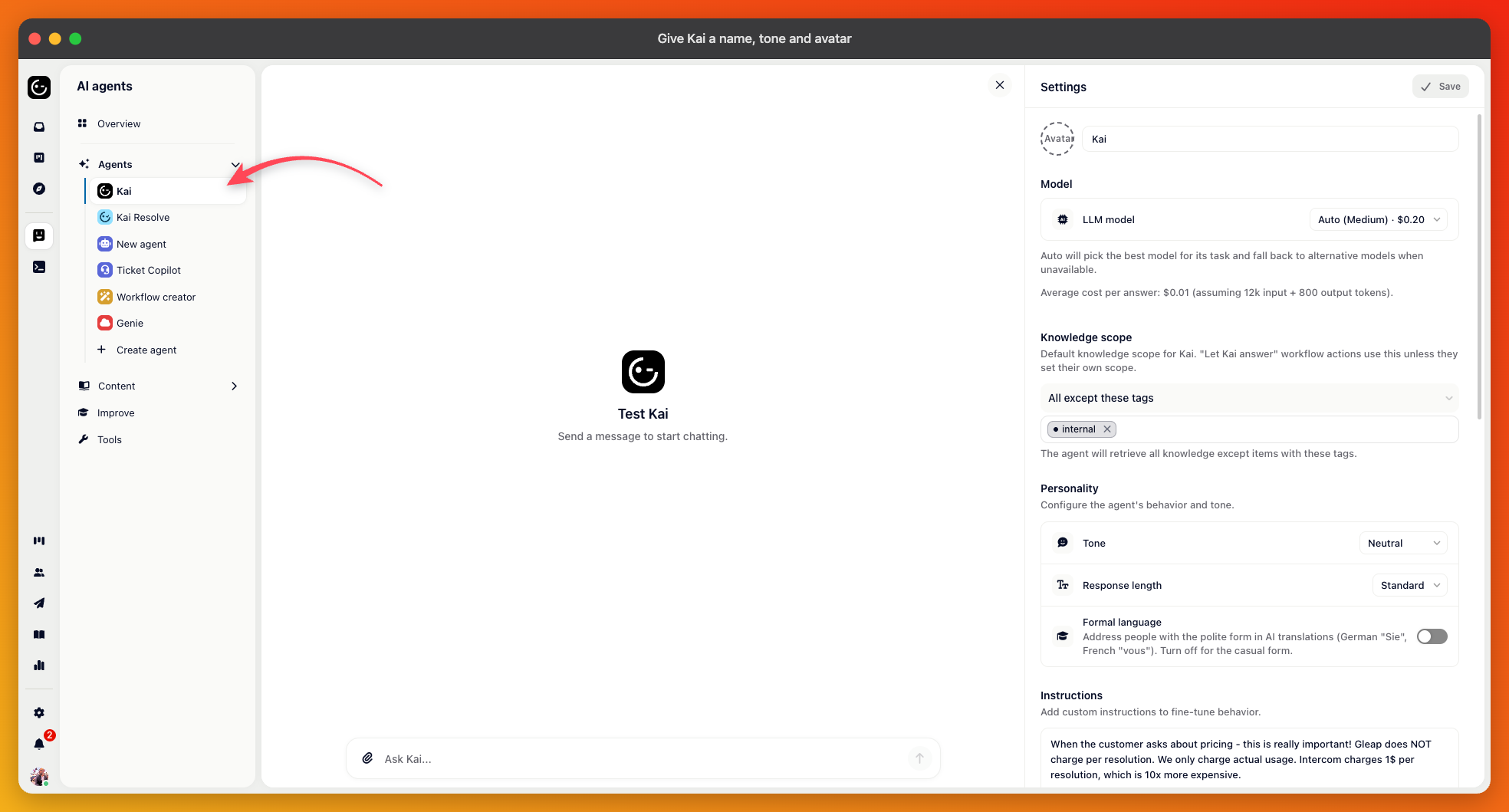
Open
AI agents and select Kai, the default agent. Everything below is on that one page. Changes are only stored when you press Save, which stays greyed out until you've changed something.
At the top of the page, you'll find the avatar and the agent name. The name defaults to Kai and is what customers see on every reply, so it's worth setting to something that fits your product. The avatar appears next to messages in the messenger.

Under Personality, you set three things.
Tone — Neutral, Professional, Friendly or Humorous. Neutral is the default and reads like a helpful support agent; Friendly adds warmth.
Response length — Concise, Standard, or Thorough. Concise suits products where people want the answer and nothing else; Thorough suits complex setup questions.
Formal language — matters most in languages with a formal and informal form of address, such as German or French.
The Instructions box takes free text that's added to every conversation. Use it for things your content can't express — that you address customers by first name, that prices are always quoted excluding VAT, that support hours are Monday to Friday.

Show sources — links the articles an answer came from. On by default.
Styled replies — lets Kai format an answer richly instead of as plain text.
Vision — lets customers send screenshots for Kai to read. This one depends on the model: if the model you picked can't process images, the switch is disabled and names the model, so switch to a vision-capable one first.
Audio messages — lets customers record instead of typing. Turning it on reveals a maximum recording length and the transcription model.
Disable contact custom data — keeps your own contact attributes out of what Kai receives. Useful when those attributes hold data you'd rather not send to an AI provider.
Kai can follow the contact's own language, answer in whatever language the question was written in, or always use one language you pick. Following the contact's language is the default and is usually right; answering in the language of the question suits sites where visitors aren't identified and may write in anything.