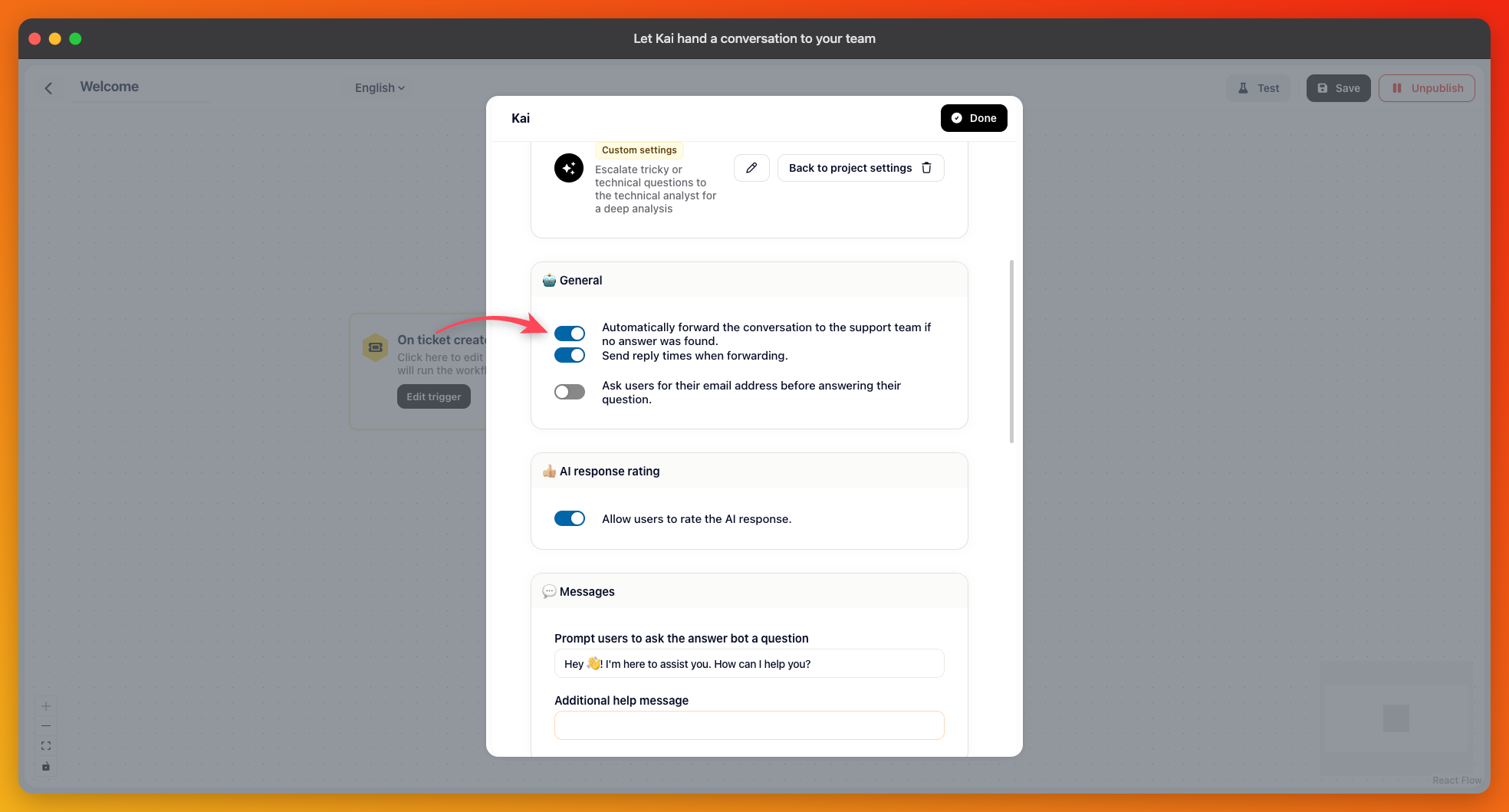
Open Automation, open the workflow that greets your customers, and select the Let Kai answer step. Under General, switch on “Automatically forward the conversation to the support team if no answer was found.”
A second option appears with it: “Send reply times when forwarding.” It's on to begin with, and it tells the customer when to expect an answer instead of leaving them watching an empty conversation. Turn it off if your reply times aren't something you want to publish.
Two situations.
Someone explicitly asks for a person — “can I talk to support”, “get me a human”.
The matter is genuinely something Kai can't settle from your content: a support, billing, account, order, refund, or cancellation request.
It writes a short summary of what the person needs, so whoever picks the conversation up doesn't start from nothing.
Kai deliberately doesn't forward greetings, thanks, small talk, questions about what it is, or anything it just answered. Without those exclusions, every conversation would end up in your inbox, and the AI would be pointless.
Kai also can't announce a handover it isn't performing. It is only allowed to say it's passing the conversation on when it actually does so in the same reply, which rules out the common failure of an AI promising to fetch someone and then going quiet.
If Kai Resolve is on with Kai Resolve as second level of support enabled, the handover described above goes to Kai Resolve first, not to your team. That includes a customer who asks for a person. Kai Resolve investigates once; when it can't resolve the issue, or the customer asks for a person again, the conversation reaches your team with the investigation attached. See "Kai Resolve: a second level of support before your team".
A handover only helps if you can reach the person afterwards. If your messenger is open to visitors who aren't logged in, you may have no email address for them, and the conversation sits in your inbox with no way to answer once they close the tab.
The same step has an option for this: “Ask users for their email address before answering their question,” with a message you can word yourself. Identified users don't need it — you already have their address.
Open your own messenger and ask for a human in plain words. The conversation should appear in your inbox with Kai's summary attached. If it doesn't, the workflow you edited is probably not the one your customers actually run — check that you changed the step in the live workflow.