Because Kai answers only from the content you gave it, a wrong answer nearly always traces back to content rather than to the AI. Something was missing, out of date, or two articles disagreed and it picked the wrong one. That makes the fix concrete.
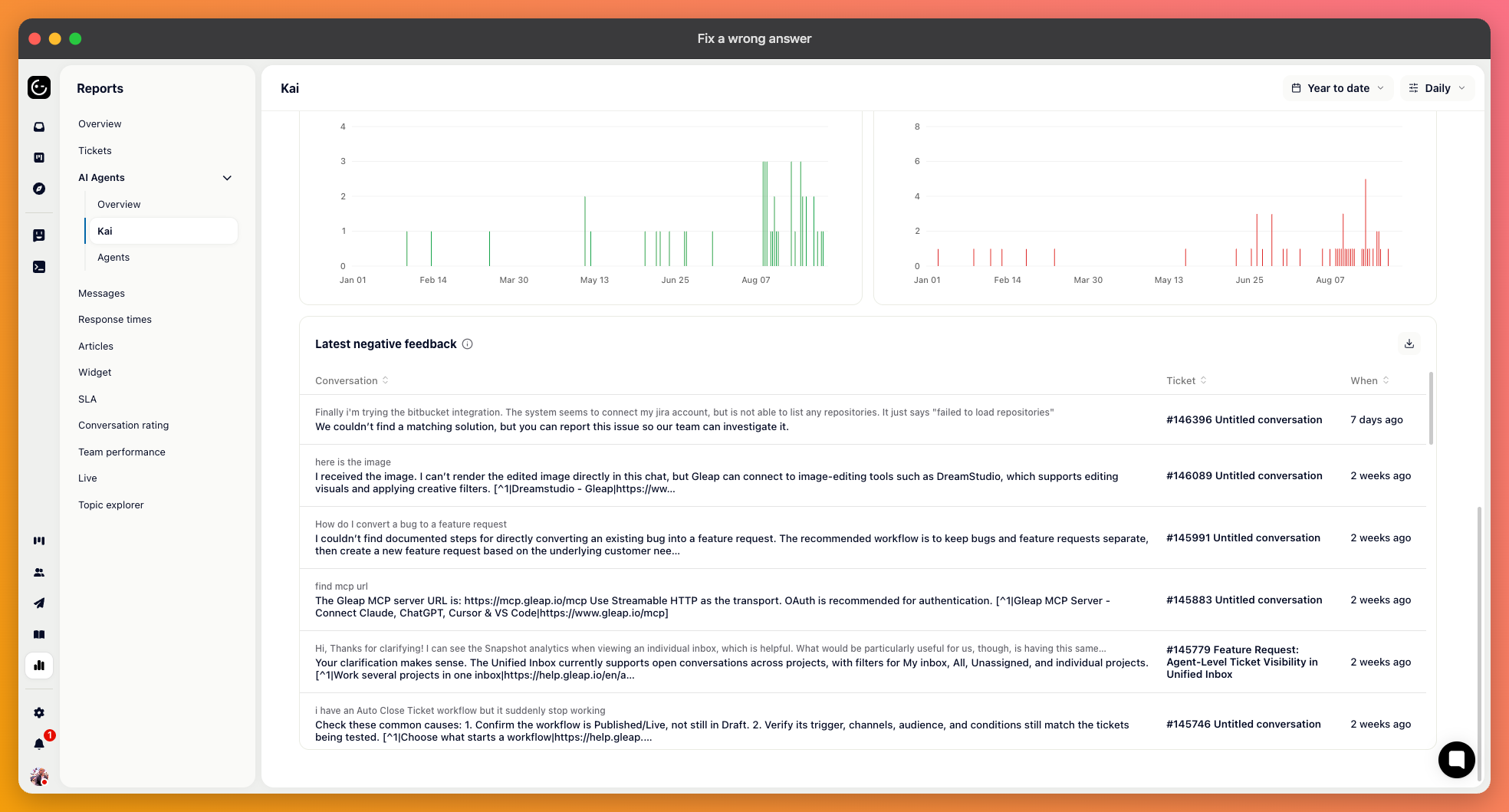
In Reports, under Customer support, the Kai page ends with a list of the most recent negative ratings. Each one is a real question with an answer someone marked as unhelpful. Start there rather than with the aggregate numbers.
The no-answer count on the same page is the other place to look. Those are questions Kai couldn't answer at all — not wrong, just uncovered.

Open the conversation and look at the sources under the answer. They name the articles Kai drew on, which usually settles the question immediately.
The right article is cited but the answer is wrong: the article says something outdated or ambiguous. Fix the article.
The wrong article is cited: two pieces of content compete for the same question. The older one usually needs deleting rather than editing.
Nothing is cited and the answer is vague: the topic isn't covered. Write it.
Contradictions are the hardest to spot and the most damaging. If a price or a limit is stated in three articles and one of them is stale, Kai will sometimes be right and sometimes wrong about the same question, which is worse than being consistently wrong.
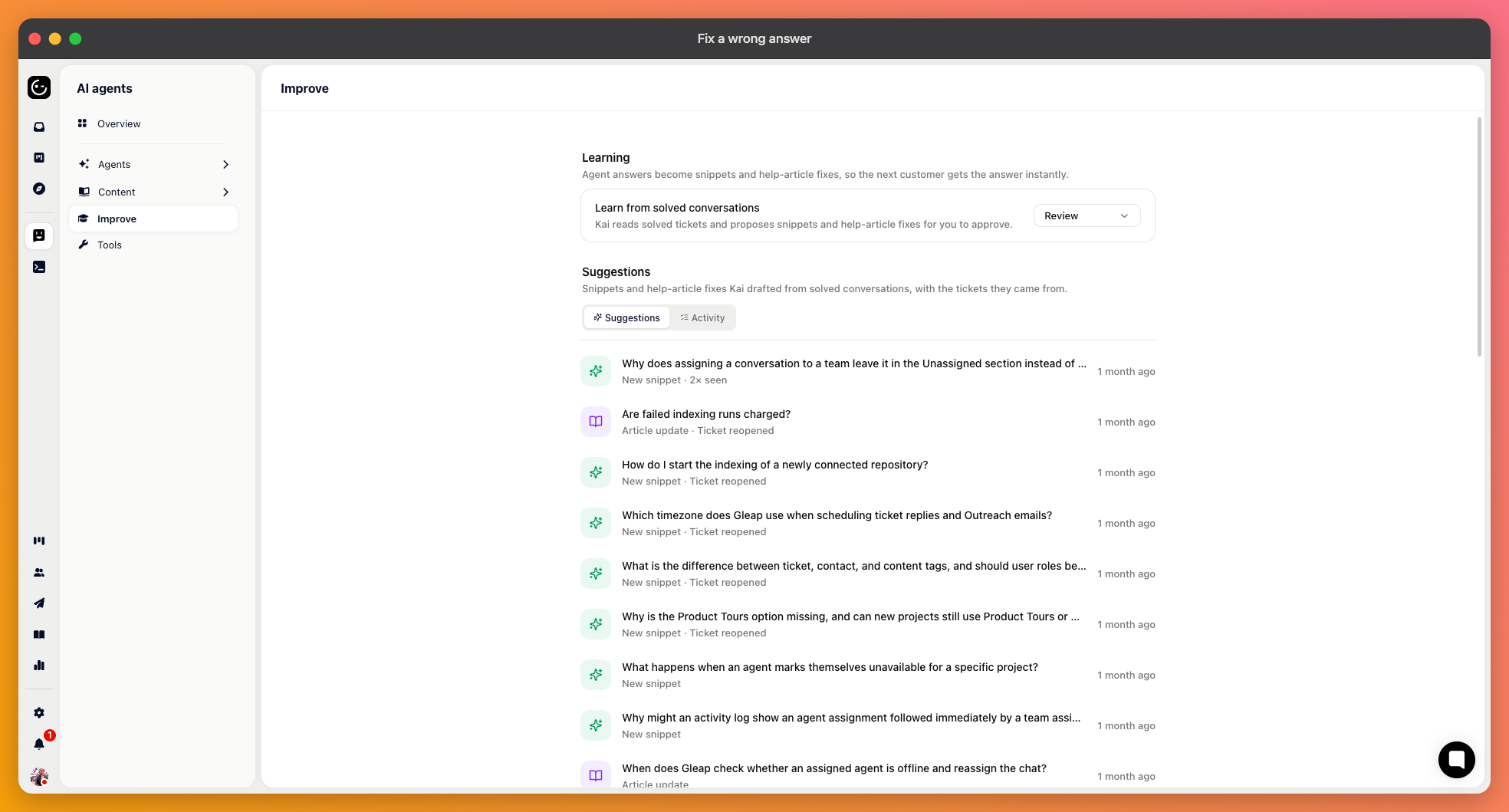
Under AI agents there's a Learn section that watches solved conversations and proposes content changes from them — new snippets for questions your team answered by hand, and edits to snippets or articles where existing content proved wrong.
Suggestions arrive in a queue you review. You can approve one as it stands, edit it first, or dismiss it. There's also an autopilot setting that applies suggestions without review, and an Activity tab recording what was changed — worth checking regularly if you turn autopilot on, since anything applied there can also be reverted.
This closes the loop that otherwise stays open: your team already answers these questions well in the inbox, and this is what gets those answers into the content Kai can use.
Sometimes the facts are right and the answer still isn't. Too long, too casual, the wrong form of address. That's the Personality and Instructions settings on Kai's page, not your articles.
And if Kai should have handed the conversation to a person instead of answering, check whether forwarding is switched on in the answer step — it's off by default, and that's the cause more often than anything Kai got wrong.
Ask the same question again the way the customer phrased it, not the way you'd phrase it. Kai searches your content afresh for every question, so a corrected article takes effect for the next person who asks — there's nothing to retrain or rebuild.