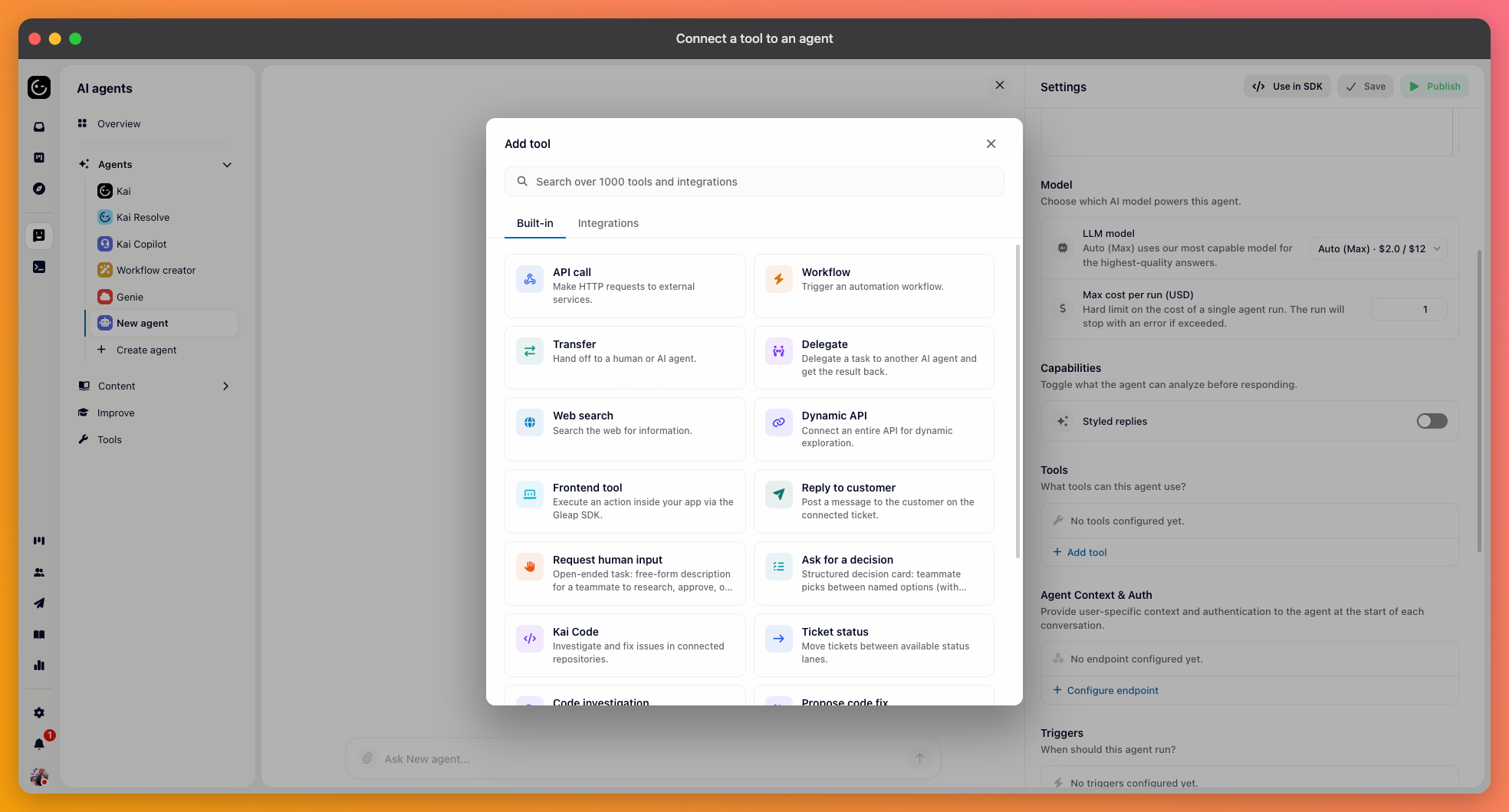
Open the agent, find the Tools section, and choose Add tool. You can search across more than a thousand integrations, pick one of the ready-made connections — Slack, GitHub, Jira, Linear, HubSpot, Attio, Stripe — or build a generic one such as an API call.
The mechanics are the same whichever you pick. Every tool has a name, a description, and parameters.
The agent never sees your tool's implementation. It sees the name, the description, and the parameter descriptions, and decides from those alone whether this is the right thing to call. A tool called "lookup" described as "gets data" will be called at random or not at all.
Write the description as the situation it's for: "Look up the current status, items, and delivery date of an order by its order number." Do the same for each parameter — "the customer's order number, without the # prefix" rather than "orderId".

Choose the API call tool, and you get a method, a URL, and optional headers. Pick the method, enter the endpoint, and add the parameters the agent should fill in — each with a name, a type (text, number, true/false, list or object), and a description.
For authentication, add your credentials as headers — an API key or bearer token entered as key/value pairs. If the agent needs per-user credentials rather than one static key, don't hard-code them here: set up the agent's Agent Context & Auth section, which fetches a token from your backend at the start of each conversation and hands it to the tool.

Use the chat on the agent's own page and ask for something that should trigger the tool. Two things can go wrong, and they look different:
The agent doesn't call the tool at all — the description doesn't match how the request was phrased.
It calls it with the wrong values — the parameter descriptions are ambiguous.
Phrase your test the way a customer would, not the way the tool is named. Testing with "run the order lookup tool" proves nothing, because nobody will ever ask that.
You can't force a tool call, but you can make it much more likely by naming it in the agent's instructions: "Always check the order status with the order lookup tool before answering questions about deliveries." The description says what the tool is; the instructions say when it's mandatory.