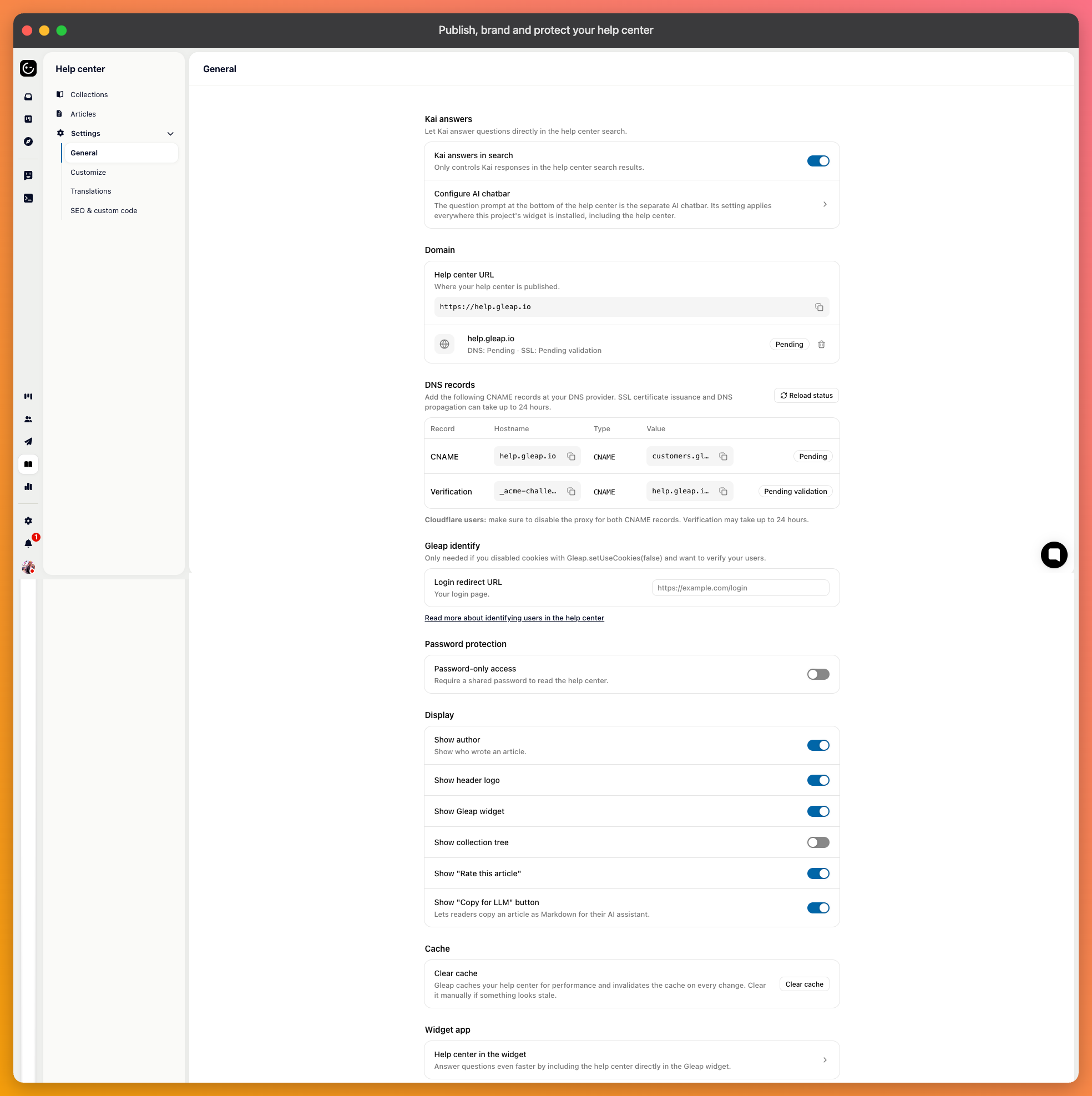
Your help center is public from the start on a Gleap address. Everything below lives in its settings, grouped the same way this article is.
Under domain settings, you can add a custom domain — typically something like help.yourcompany.com. The page shows the status while it's being set up and lets you re-check it rather than guessing whether DNS has propagated.
Do this before you promote the help center anywhere. A domain can be migrated later, but the links other people published won't update themselves.
Set a logo and favicon, and add footer links to your product, terms, or contact page. Three switches control what appears around an article:
Rate this article — lets readers say whether it helped. Leave it on; it's the only direct signal you get about whether an article works.
Show author — puts a name and face on articles, which reads as more personal but exposes who wrote what.
Show collection tree — a sidebar of the whole structure. Helpful with many collections, noise with few.
You can also show the Gleap widget on the help center, so someone who didn't find an answer can start a conversation without leaving the page.
Under the Kai section, you can enable AI answers in help center search. Instead of a list of articles to sift through, the reader gets an answer with the sources under it.
This is the highest-value switch on the page, because search is where people arrive already knowing what they want and failing to find it. The same content you already published does the work.
Two independent mechanisms, for different situations.
Password protection puts a single shared password in front of the whole help center. Simple, and appropriate for a closed beta or an internal knowledge base — but a shared password is only as private as the least careful person who has it.
Enforcing login requires readers to be identified users of your product, and you give a login redirect URL pointing to your own login page. Someone who isn't signed in is sent there and comes back afterwards. This is the right choice for documentation that should only reach customers, because access follows your own accounts rather than a secret.

Pages are cached so they load quickly. There's a Clear cache button for the case where you've published something and the live site still shows the old version. If it persists afterwards, check that the article is actually published rather than sitting as a draft.