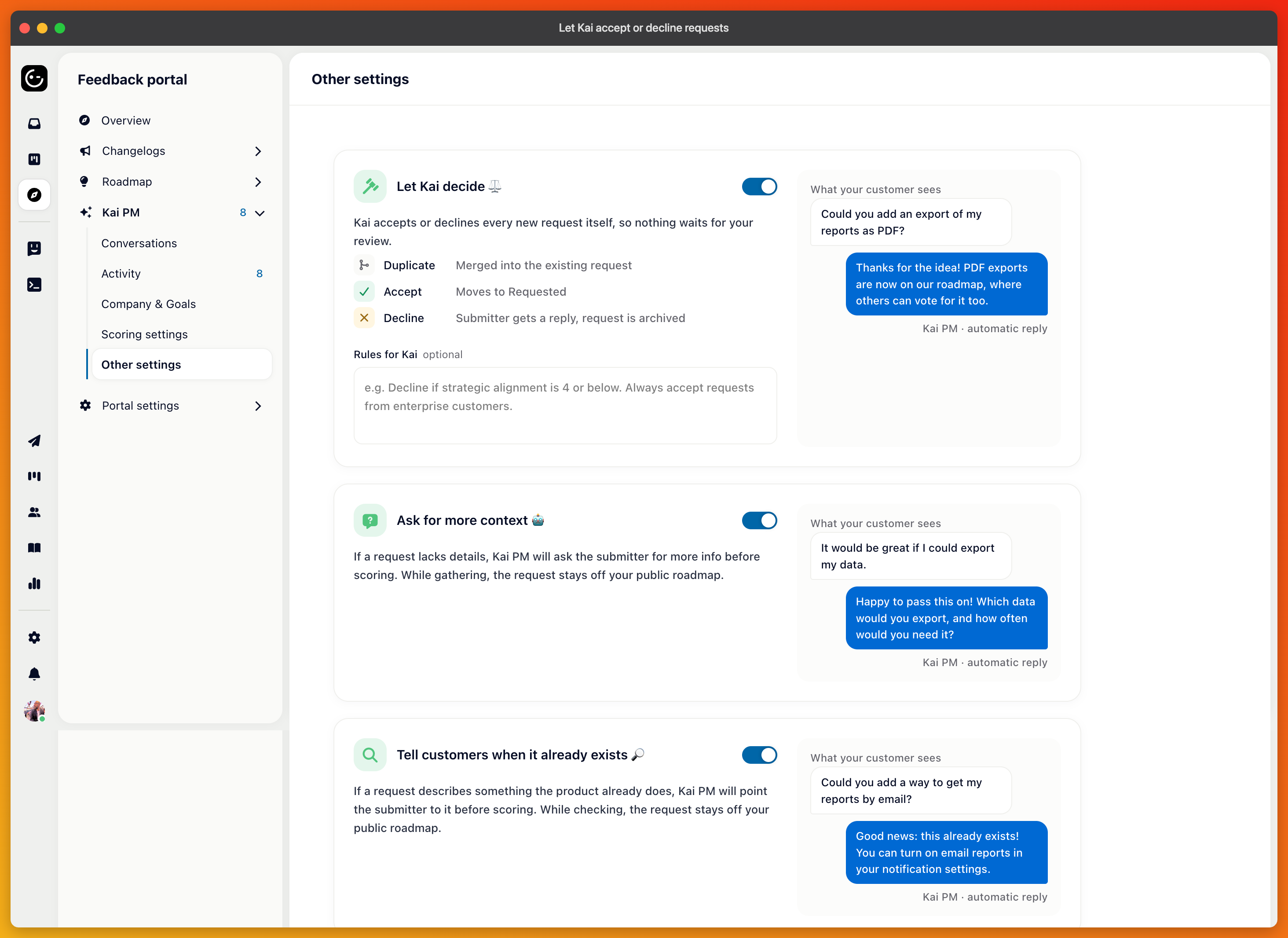
Most new feature requests don't need a product manager. They're either reasonable and belong on the roadmap where people can vote, or they're out of scope and deserve a polite no. Let Kai decide hands that first pass to Kai so your review queue only holds the ones worth a discussion.
It's under Feedback portal → Kai PM → Other settings. New projects have it on; existing projects switch it on themselves.
Every new request that a customer submits, from the portal or the widget, gets one decision as part of its first scoring:
Accept moves the request out of your intake lane into the first public lane (the card tells you which one, for example, "Moves to Requested") and replies to the customer that it's on the roadmap where others can vote.
Decline replies to the customer with the reason and archives the request.
Merge happens first, when the request clearly duplicates an existing one. The customer is told, and their vote moves to the existing request. Kai only merges when it's certain; anything less falls through to accept or decline.
Kai writes each reply itself, in the customer's language, specific to the request. Requests your team creates, and requests created by agents, are never triaged; they're yours already.
When in doubt, Kai accepts. That's deliberate: accepting only publishes the request for voting, so a wrong accept costs a slot on the board, while a wrong decline costs a customer.
The Instructions box on the card is where your rules go, in plain language:
Decline if strategic alignment is 4 or below. Always accept requests from enterprise customers. Anything about the mobile app goes to the roadmap regardless.
Kai follows these over its own defaults. Mention revenue thresholds, off-limits areas, or segments that always get through. Keep it to rules you'd give a new hire.
Kai decides before a request is visible, but only if your first lane isn't public. Under Set up ticket types and custom fields, mark the intake lane (Ideas on new projects) as hidden. Then a request appears on the portal only once Kai has accepted it, and declined requests were never public at all.
New projects come this way: a hidden Ideas lane, then Requested, Planned, In progress, and Released. Existing projects keep their lanes; you choose whether to hide the first one.
On the overview, the intake stage shows "Kai deciding" on requests still being scored and a line for the week: "This week Kai accepted 14 and declined 3 requests." Accepted requests carry "Kai accepted 2 days ago" with Kai's reason on hover.
Show declined unfolds the requests Kai turned down, each with its reason. Accept on one reverses the decision: the request is unarchived, moves to the first public lane, and everyone who voted gets your accept message.
Every decision is also logged on the Activity page under Decisions.
With Let Kai decide on, the "Needs your review" queue disappears from the overview, and your own accept and decline reply templates are hidden; Kai writes the replies. Switch it off, and both come back. Kai decides each request once; switching the setting on later doesn't re-triage the existing backlog. Ask Kai PM in chat to work through that.