There is so much great news you can share with your members, like when you reach a goal, start a poll, or publish a new article, video or podcast episode.
Create a post on your Steady page to keep your community informed about news and updates on your project. Posts are a really important part of growing your community and creating those warm fuzzy feelings that will keep members connected.
Click on "New post" in the posts section.
Select a format: You can make a "standard" text post, an "audio" post or a "poll".
Write a headline and a teaser.
Next, depending on the format of your post, you can write a text and embed media, add an audio file or create a poll.
In the "Visibility" section, set who can see your post by checking the appropriate box – this enables you to offer exclusive services.
You can either publish your post immediately or schedule it to be published at a specific time.
Finally, click on "Publish" (or "Schedule") – and you’re done!
Members will be automatically notified by email when you publish a new post. Members can opt out of email notifications at any time (and subscribe again later if they wish).
Members can also comment on posts.
You can decide who sees which posts. You can publish posts that are public and visible to everyone, or you can limit their visibility to members only, or even to members on particular plans.
This feature enables you to offer plans with exclusive benefits. You may decide that only members of certain plans should be given access to exclusive content such as podcast episodes, articles or videos.
Do you have a podcast? Use the audio RSS feed to post content exclusively for members
To publish an audio post and, for example, upload a podcast episode, select the "Audio" format. Then add a headline, teaser and text.
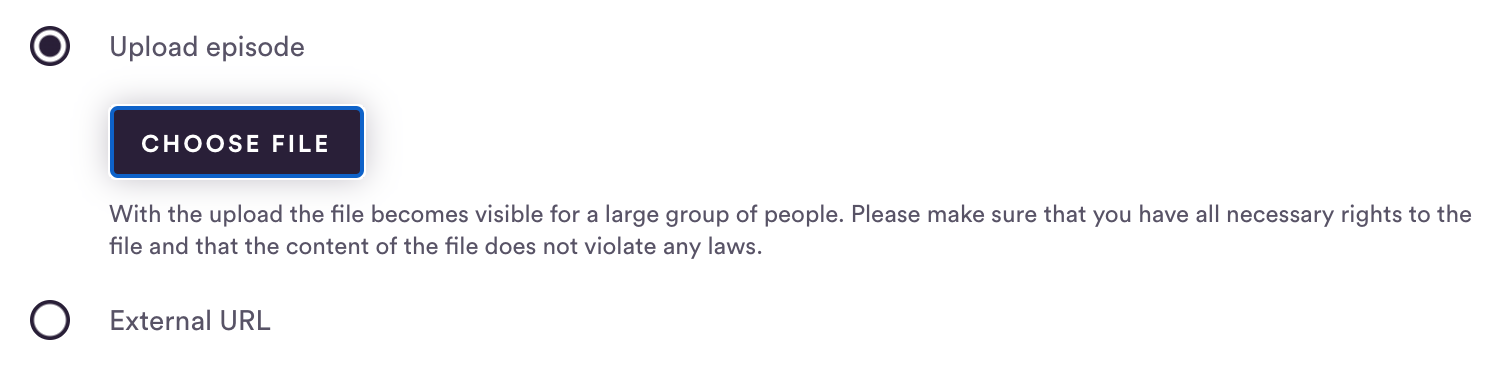
Then you can either upload your audio file or (if you host it externally) embed it by entering an external URL.
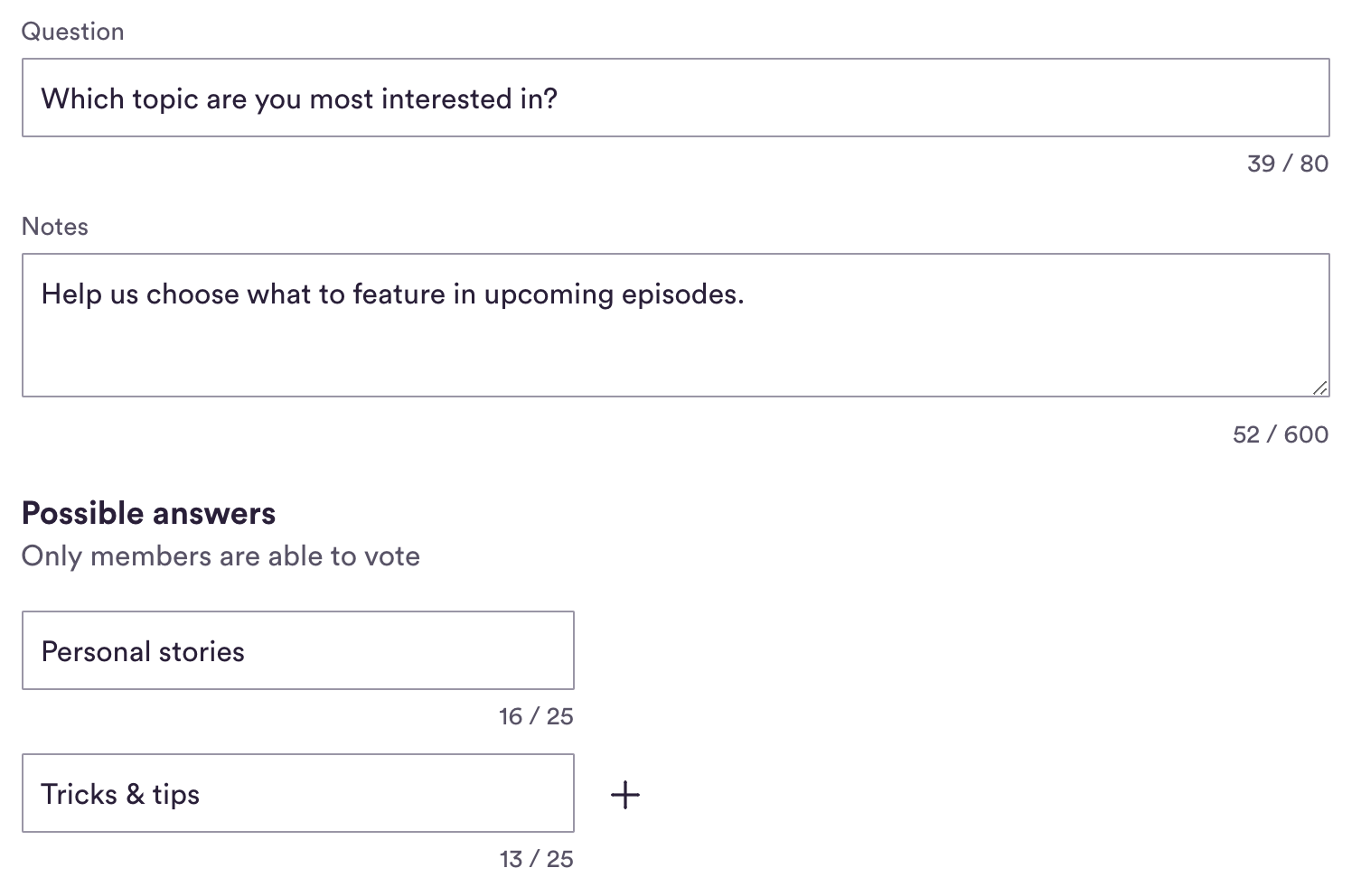
To create a poll, select "Poll" as the post format. Then formulate your question and add any additional comments to your question.
Then write your possible answers – make sure there are at least two options! If you want to add more answers, just click the "+" symbol next to the previous answer. You can offer up to four options.
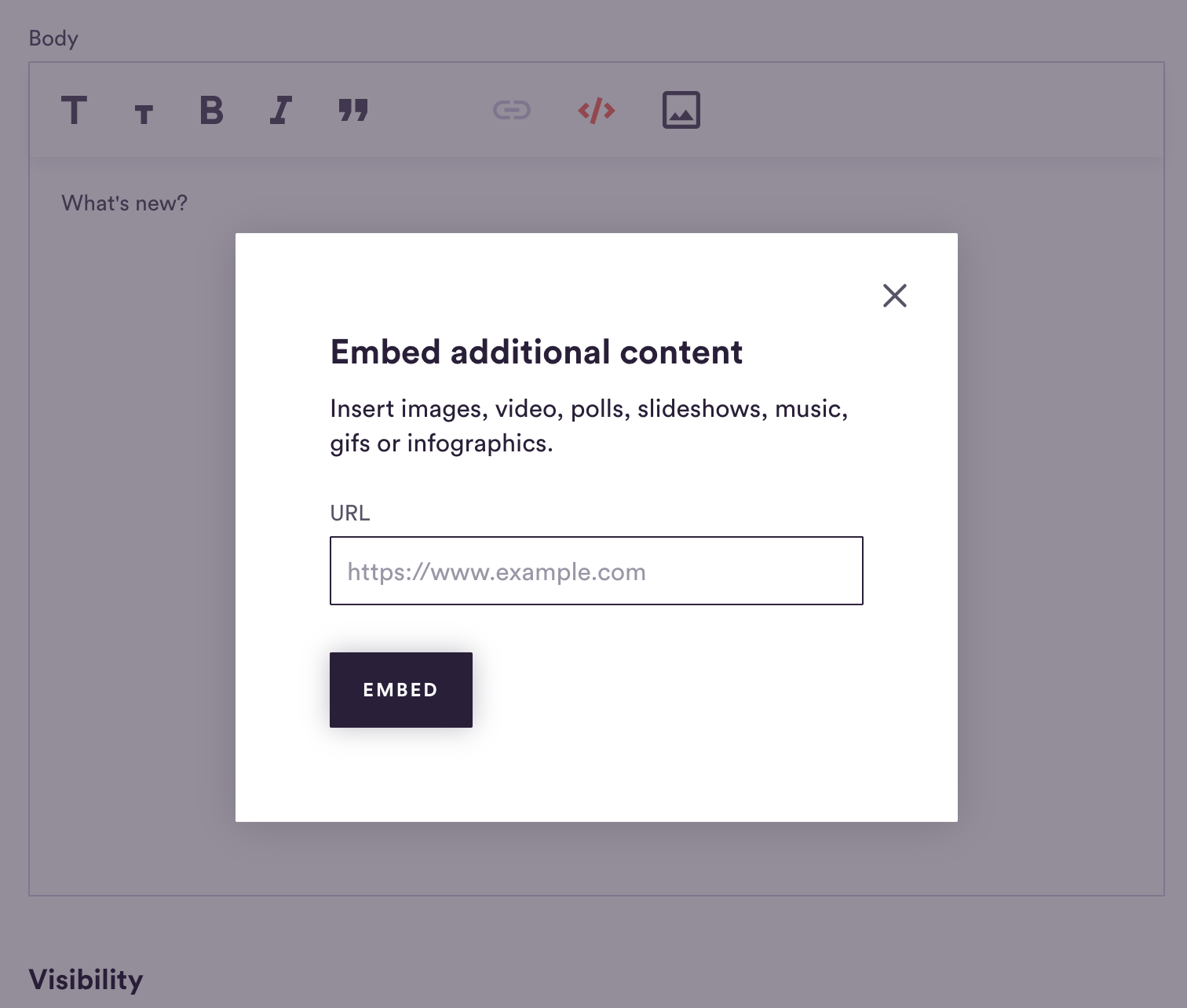
With the embed tool you can add additional, external content – for example, pictures, videos, surveys, picture galleries, music, gifs and infographics. Click on the </> symbol and enter the URL for the external content in the corresponding field. The content will then be embedded in your post (Steady does not host this content).
Members are able to add comments to a publisher’s post. Only members have access to this feature, enabling you to create a safe and cosy space to engage with your community.
In order to add a comment to a publisher’s post, the member must be logged in on Steady.
Commenters are identified by first and last name (the same they used when signing up on Steady). It is possible for members to edit and delete their own comments – in the interest of transparency, other members will be able to see when they have done so.
As a publisher, you will receive an email notification when a member posts a new comment.

